The WSU Trimble Technology Lab is pleased to showcase the work of Leo Cook, a member of the WSU Class of 2028, who is pursuing a degree in Architectural Studies and considering a minor in Construction Management. His project, developed in SDC 140, an introductory digital design course, taught by Marti Cowan, demonstrates how digital tools like SketchUp can extend and transform the architectural design process.
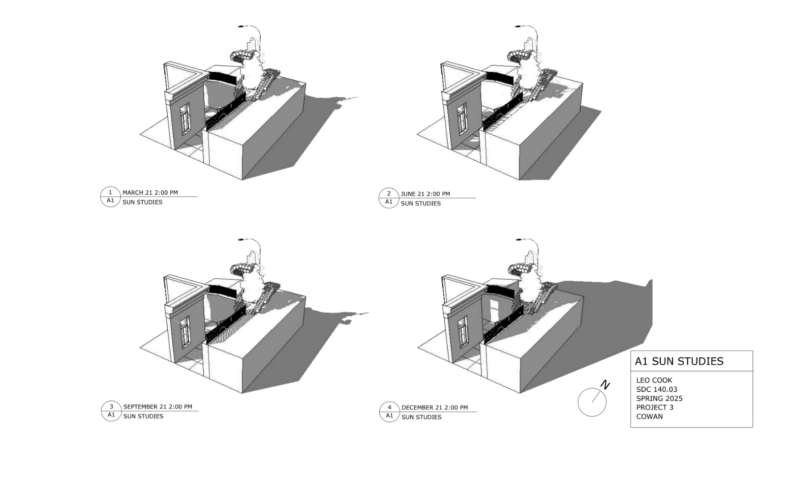
Leo’s work stood out for its thoughtful integration of physical and digital modeling techniques. Initially working with a physical model, Leo used SketchUp as both a design tool and a visualization aid, allowing him to analyze spatial conditions and generate perspectives that would not be possible through physical modeling alone. “SketchUp helped me see angles and take snapshots that would be impossible to get with my physical model,” he explained.
He emphasized the efficiency and flexibility SketchUp brought to his workflow. Working in SketchUp also changed the way Leo thought about structure.
Designing in SketchUp changed my design because it allowed me to create elements that the physical model constrained. For example, long segments without vertical supports are difficult to build physically, but in SketchUp they are much more achievable.
For new users, Leo recommends investing time in learning shortcut keys, which can significantly streamline the modeling process.
SketchUp can be very fast or slow depending on how well you optimize it. Shortcut keys such as line (L), push/pull (P), erase (E), orbit/pan (O/shift) are essential.
Leo’s project exemplifies how students can leverage digital modeling tools to expand their design possibilities.
